
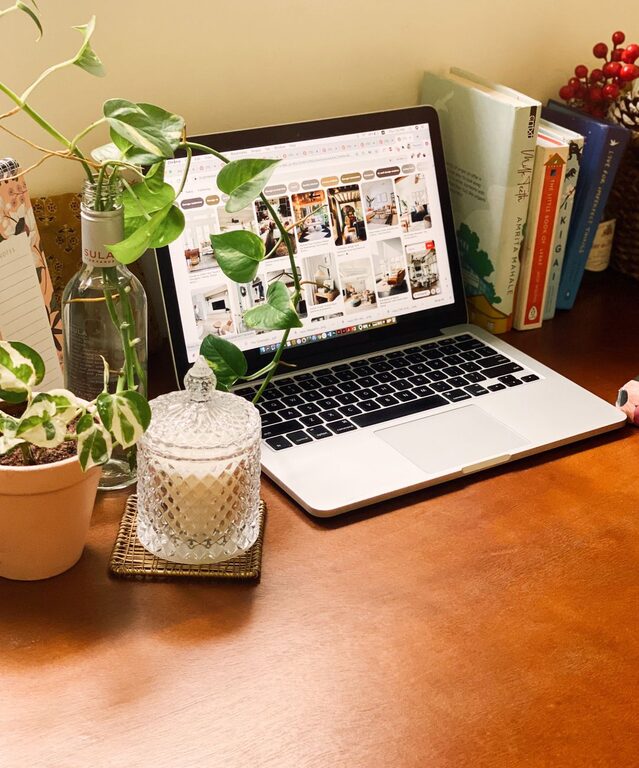
Creating a comfortable and inviting home workspace is essential for anyone who spends significant time working from home. A well-designed workspace can boost productivity, improve focus, and make your workday more enjoyable. Whether you have a dedicated room or just a small corner to work with, these tips will help you create a cozy environment tailored to your needs.
Choose the Right Location
Finding the perfect spot for your workspace is the first step. Ideally, choose a quiet area with minimal distractions, plenty of natural light, and enough space for your work essentials.
Consider Natural Light
Natural sunlight improves mood and energy levels, so position your desk near a window if possible. If natural light is limited, invest in good quality, adjustable lighting to reduce eye strain.
Minimize Noise
If outside noise is an issue, consider noise-canceling headphones or adding soft materials like rugs and curtains to absorb sound.
Invest in Comfortable Furniture
Your chair and desk will directly affect your comfort and posture, which impacts how long and effectively you can work.
Ergonomic Chair
Choose a chair that supports your back and promotes good posture. Adjustable height and lumbar support are ideal features.
Desk Size and Height
Pick a desk that fits your workspace and provides enough surface area for your computer, notebooks, and other essentials without feeling cluttered.
Personalize Your Space
Adding personal touches makes your workspace inviting and uniquely yours.
Decorative Items
Incorporate items like plants, framed photos, or artwork that inspire and motivate you.
Color Choice
Use colors that calm or energize you, depending on your work style. Soft blues and greens create a relaxing atmosphere, while brighter tones can stimulate creativity.
Organize Efficiently
A tidy workspace helps reduce stress and distractions.
Storage Solutions
Use shelves, drawers, or organizers to keep supplies and documents in order.
Cable Management
Keep cords and cables neat with clips or sleeves to prevent a tangled mess.
Add Comfort Elements
Small comforts can make long work hours more pleasant.
Soft Textiles
Place a cozy rug underfoot or add cushions to your chair for extra comfort.
Temperature Control
Use a fan, heater, or humidifier to maintain a comfortable temperature and air quality.
Incorporate Technology Wisely
Technology can either enhance or overwhelm your space.
Essential Gadgets Only
Keep only the devices you use daily to maintain a clutter-free desk.
Monitor Placement
Position screens at eye level to avoid neck strain.
Maintain Good Lighting
Proper lighting is crucial for productivity and eye health.
Layered Lighting
Combine ambient lighting with task lighting, such as desk lamps, to provide flexibility.
Avoid Glare
Adjust the position of your monitor and light sources to minimize glare.
Create Boundaries
Even in a home environment, clear boundaries help separate work from personal life.
Physical Separation
Use room dividers or arrange furniture to define your workspace.
Set Work Hours
Establish a routine and communicate your work schedule with household members to reduce interruptions.
Keep It Flexible
Your ideal workspace may change over time, so design it to adapt to your evolving needs.
Modular Furniture
Choose pieces that can be reconfigured or moved easily.
Temporary Decor
Use removable wall decals or accessories that can change with your mood or season.
—
By combining these tips, you can create a home workspace that feels both cozy and inviting, helping you stay focused and comfortable throughout your workday. Remember, your workspace should support your habits and preferences, so don’t be afraid to experiment until you find what works best for you.